


Sample Collection App and Client Portal
Paperless sample collection: from the sampling point to the report
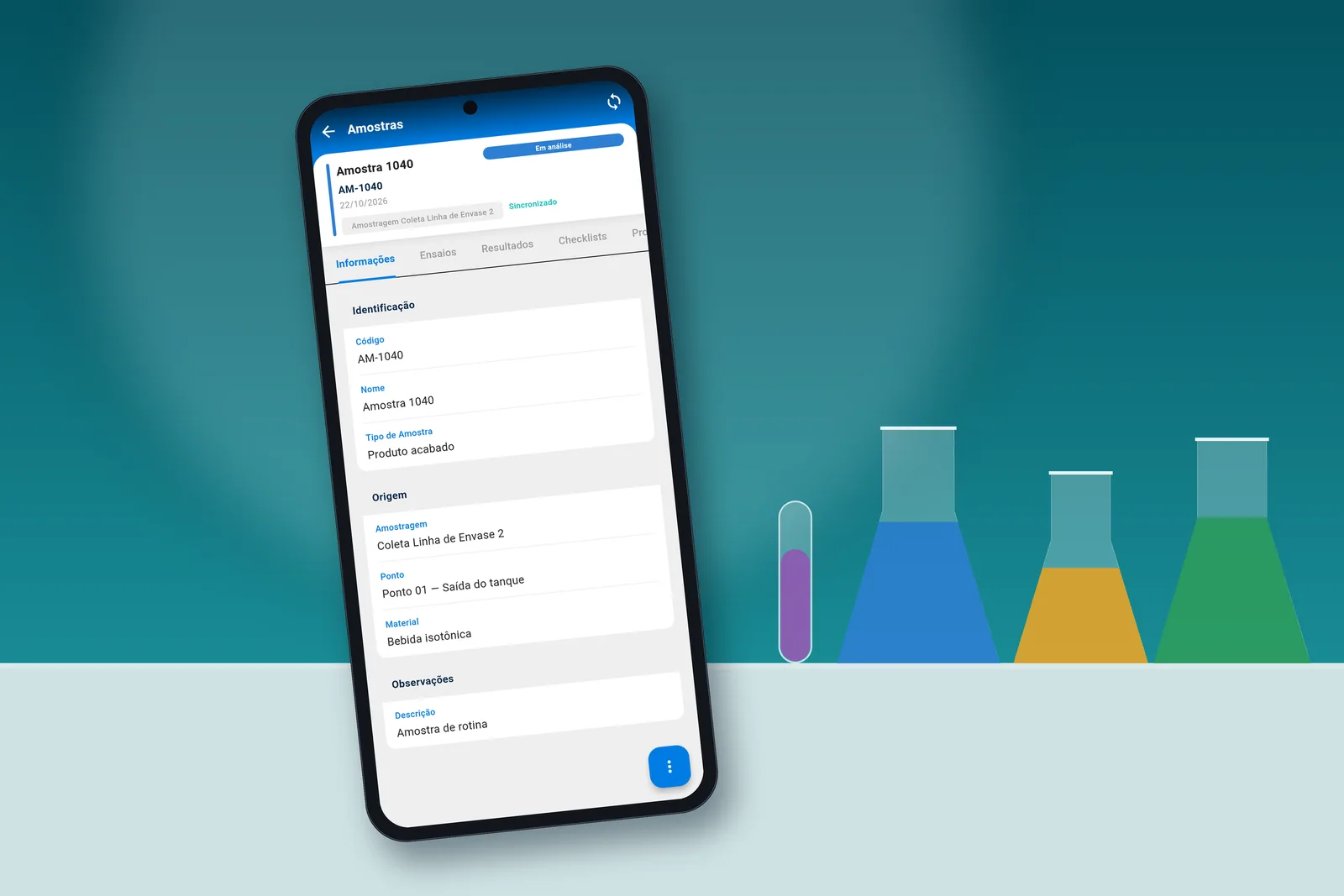
Sampling is recorded on the phone, even without signal, with identification by QR code and photographs linked to the sample, and the PDF report is delivered to the client through a portal restricted to the client’s own data.
Comparison
From paper to a single record: sampling is recorded once, on site.
The Sample Collection App moves sampling records to the collection point, on the technician’s phone, and the data is integrated into Actiz LIMS without re-entry.
With paper
- Records kept on a clipboard or spreadsheet at the collection point
- Data re-entered manually at the laboratory
- Photos and identification not linked to the sample record
- Illegible handwriting and transcription errors, detected only when the report is issued
With the Sample Collection App
- Sampling recorded directly on the phone, at the collection point
- Sample located by scanning a QR code or barcode
- Photos attached to the sample, from the camera or gallery
- Offline operation, with automatic synchronization when the connection is restored
- Results entered in the sample’s Results tab, by parameter type (number, text, Yes/No, list or date), with unit validation; calculated parameters are not edited in the app
- New sample created from an existing one, choosing the type, collection point and lot
How it works
Four steps, from scanning the code to entering results.
Screens from the Sample Collection App in the production environment.
 01
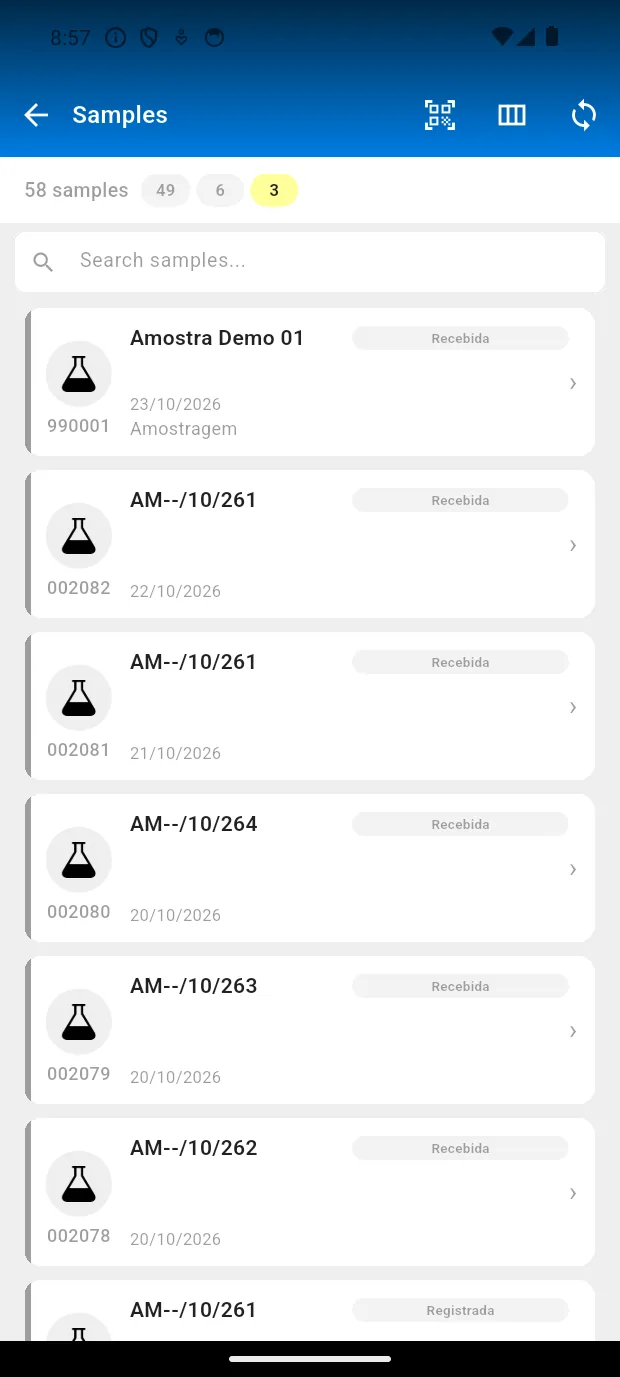
Scanning the code and opening the sample
The QR button is located at the top of the list, which shows the status of each sample.
 02
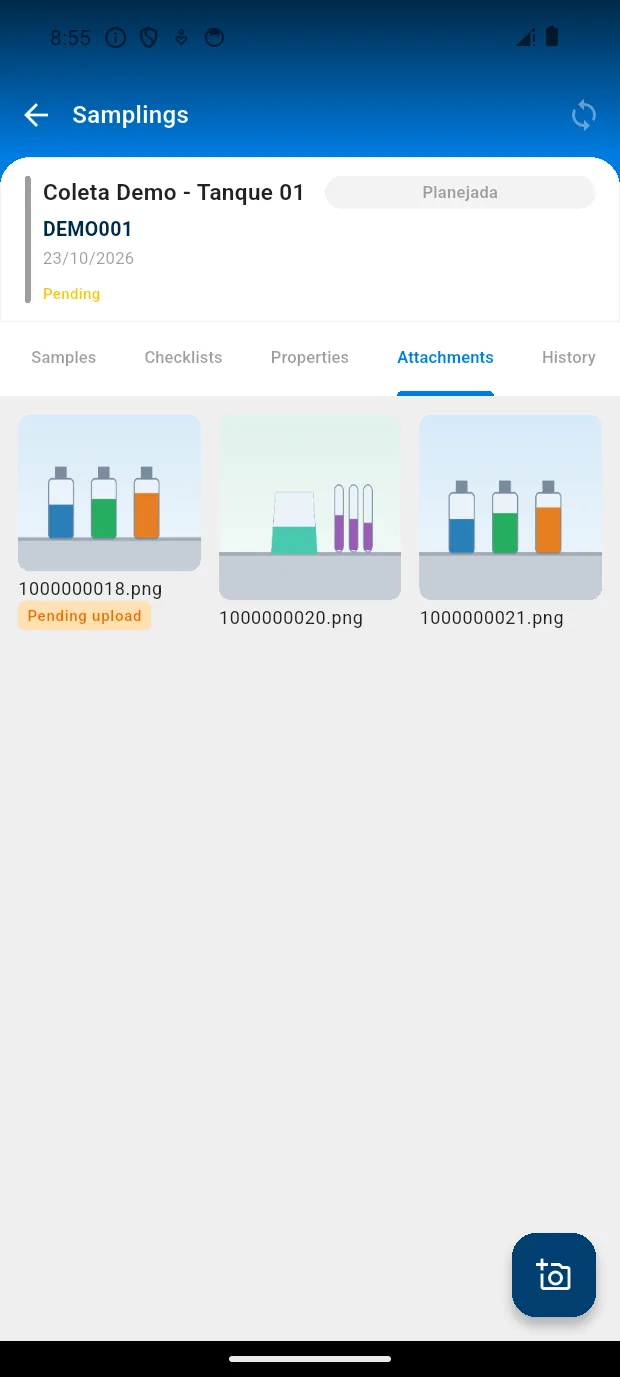
Recording and attaching photos
Photos are stored in the sampling record’s Attachments tab, with an indication of upload status.
 03
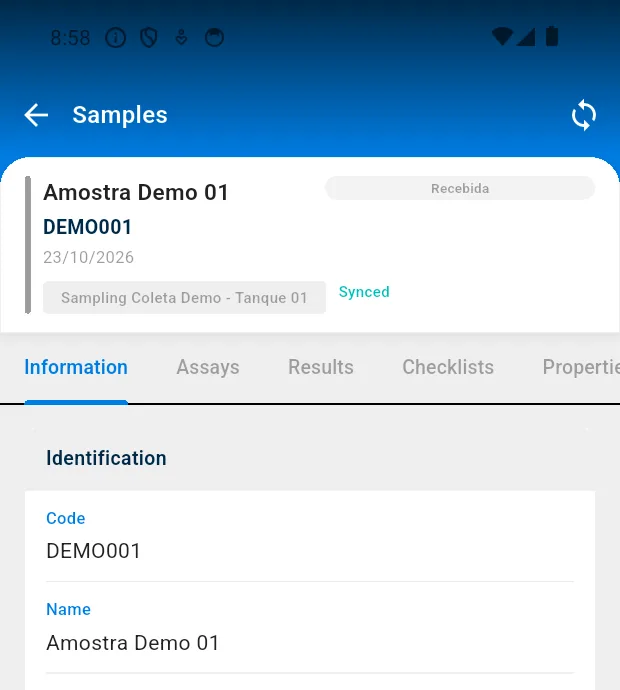
Tracking and synchronization
The screen shows the status of each sample and a synchronization button; data is stored on the device and sent when the connection is restored.
 04
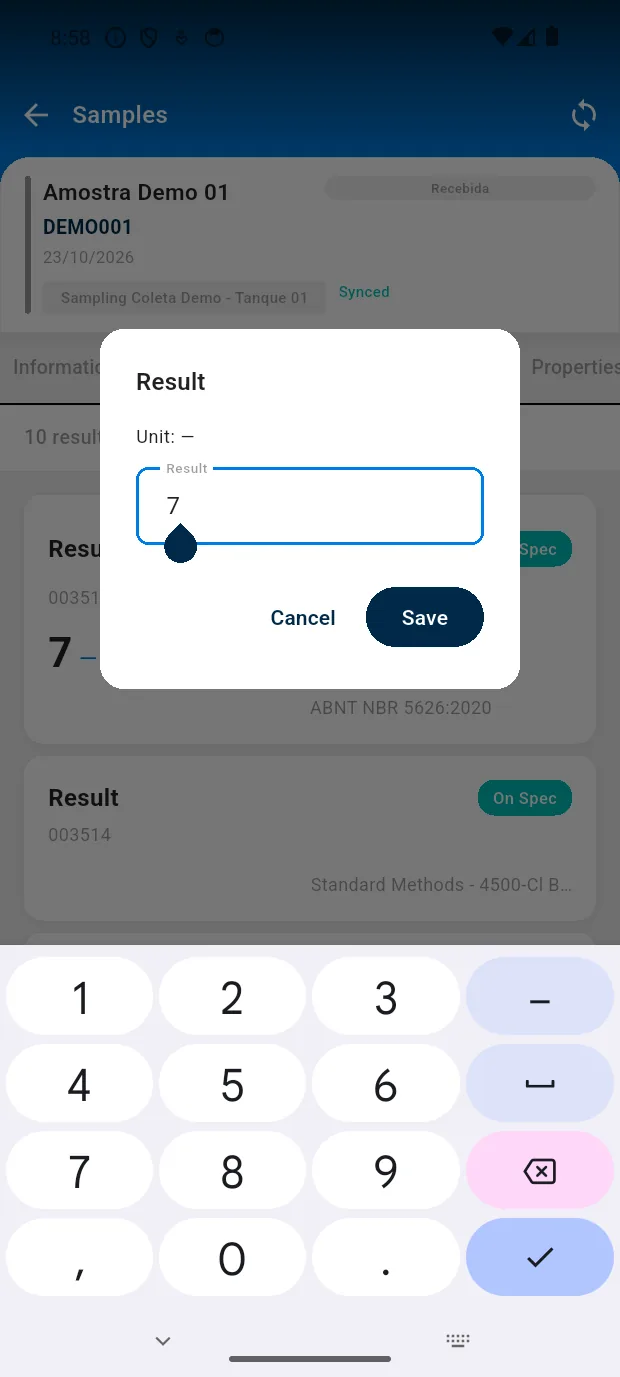
Entering results
On the sample’s Results tab, each parameter opens its own dialog by type, with unit validation. It works offline and is queued for synchronization.
Available for Android on Google Play. iPhone version coming soon.
Client Portal
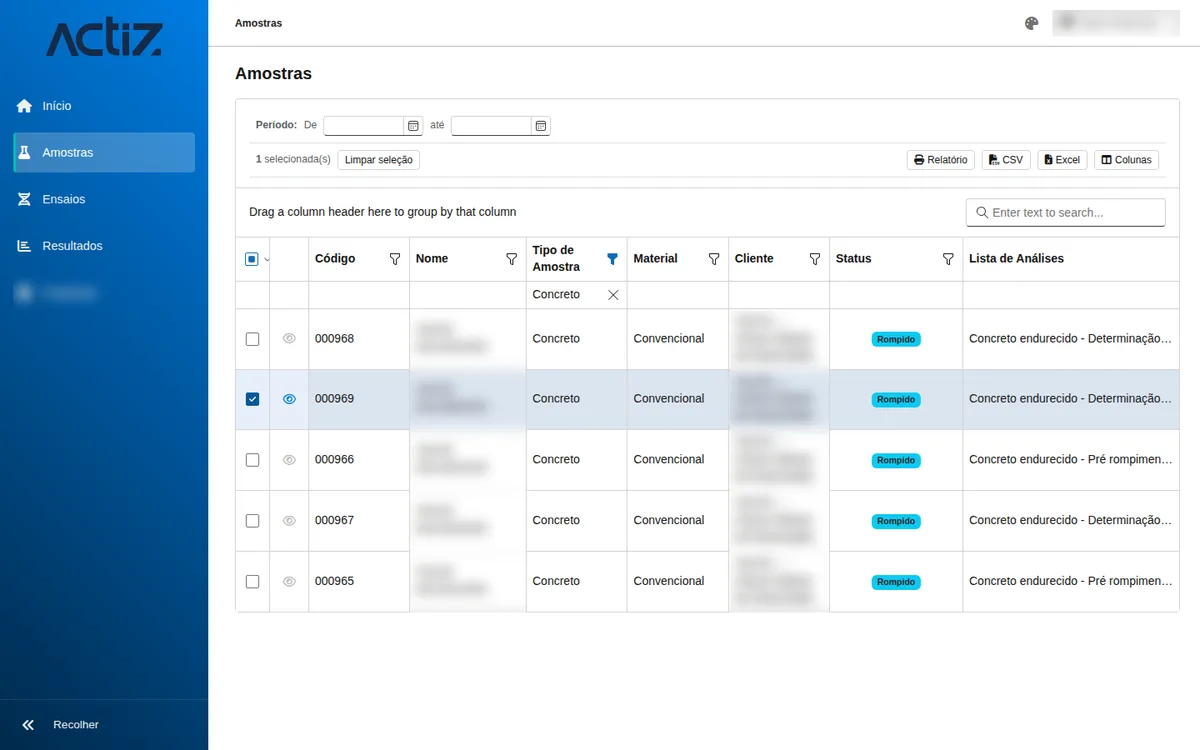
Client Portal: clients track their samples and download reports themselves, without requesting them by email.
A product independent of the App: the laboratory’s client accesses a dedicated portal, checks sample progress and downloads released reports.
- Reports in PDF, individually or as a .zip file with several samples
- Each client can view only their own data, and only what the laboratory has released
- Sales representatives can view only their own client portfolio
- Queries without spreadsheets: filtering, search, grouping and export to CSV and Excel
- Access with a Google or Microsoft account
- Included in the Actiz LIMS license

Proposals screen of the Client Portal (Portuguese-language interface), with the New Proposal button. Optional module, enabled per client: the client requests a proposal by choosing analyses, packages and services.
Application
Where the app and portal have the greatest application in laboratory routine.
Service provider laboratories (quoting, sampling, analysis, report issuance and portal) and industrial plants with in-line sampling, whose suppliers receive certificates of analysis (CoA). In laboratories operating under ISO/IEC 17025, a single record with identification and photos linked to the sample supports traceability between collection and report. See the service provider laboratory segment and the integration into the CONFIA implementation.
Next step
Request a demonstration of the app and portal.
The demonstration covers recording at the collection point, synchronization and the Client Portal.
Request a demonstration of the app and portal